Posts

Showing posts with the label Howto

Linux Ubuntu 19.04 full install on USB stick - fix UEFI/Grub

Image
Even better reads: Data Consistency in Distributed System - CAP, PACELC My  Secular Philosophy - Life, God, Knowledge, Morality, Ethics This blog is mainly focused on my Philosophical and theoretical ideas. From time to time I have practical posts that are too few to deserve a blog by themselves. I still hope my other work (like above) is even more valuable than such practical article as below. * * * This article explains how to install Ubuntu 19.04 or similar on USB+UEFI, like you would do it on a hard drive. Regular USB install will likely fail, you need the fix below. Ubuntu installer has a bug when installing on USB using a PC that already has an UEFI boot system (like Windows 10). Such thumb-drive is not only persistent, you can also do regular updates on it, customize the programs, repair the file-system. This is more than just a live "USB Pen Drive Linux" with persistence, it is your full Linux system in your pocket. Only (U)EFI boot is covered here, but most recen...
Linux Grub/UEFI boot system - introduction / howto for Ubuntu 19.04

Better read:  Data Consistency in Distributed System - CAP, PACELC This blog is mainly focused on my Philosophical and theoretical ideas. From time to time I have practical posts that are too few to deserve a blog by themselves. I still hope my other work (like above) is even more valuable than such practical article as below. * * * On short : in order to Boot Linux in UEFI mode: UEFI loads Grub and a minimal grub.cfg from a fat32/EFI partition. Ubuntu uses 2 directories: EFI/Boot and EFI/ubuntu Grub detects the root partition (via UUID) and loads the kernel and initrd from that Linux/ext4 partition. In Ubuntu, the minimal grub.cfg calls another grub.cfg from the ext4 partition - containing boot menu. More details

HP Probook 450 G4 - Win 10 - solution for black screen when idle

Even better reads: Data Consistency in Distributed System - CAP, PACELC My Secular Philosophy - Life, God, Knowledge, Morality, Ethics * * * Update 2022: Even after a fresh Win10 reinstall and upgrade to latest Bios the problem is still there. A way to avoid laptop blocking when idle is to disable both Sleep and Screen turn off - on "Power and Sleep" menu. Just set them all to Never, for battery and plugged in. You can set the power button and lid close to do Hibernate when you stop working, so you can save some power and heat and resume your work fast enough even without the Sleep function. You just hit the power button briefly before leaving. You might want to disable “Require sign-in” after sleep. If you still want some automatic power saving, you can enable Hibernate after like 30minutes from the Advanced power options . In order to have Hibernate available you must disable the "Hybrid sleep" in the same Sleep sub-menu. Note to self: I will not buy or recomm...

Kolmogorov complexity - short, informal introduction

I want to give you an intuition about  Kolmogorov complexity , without being very formal. Basically, Kolmogorov complexity defines a measure of how small can you compress a certain string of characters. You can think about it like measuring how small can you make a file (string of characters) by compressing it with ZIP or similar. A file storing a very redundant information (like "aaaaaaaaaaaaaaaa....") can be compressed in a much smaller size compared with a random one. For calculating the "Kolmogorov complexity", the "compressed" form is considered to be something like a self-extract archive: the shortest program that can output the initial string of characters (the "file/string to be compressed"). The Kolmogorov complexity is more general and includes classical compressing algorithms. For example a Huffman code is not very powerful in compressing a string like "123456789101112131415161718192021222324..." (concatenated consecut...

Win10 adware: Microsoft Edge is safer than Google Chrome

P.S. To disable the"notifications" telling " Microsoft Edge is safer than Google Chrome" you should (it seems): Click on the Win10 icon (down-left) Write and choose: "Settings" System Notifications Turn "Off" the right notification switches. Not sure what switches are sufficient and what you might miss if put them all to "Off". Just read and try on your own judgement, no warranties. * * * This really got me angry. I was reading Facebook on my Chrome browser... laughing a bit on a joke telling that "If you ever feel useless, just remember that someone had to port Microsoft Edge on Android". Scroll a bit below, give some likes...

Noise cancellation headphones - "how it works?"

"Noise cancellation " is a feature in recent high-end headphones that aims to actively remove the outside noise while listening music. You can also use them without music, however the efficiency is lower. "Noise cancellation" is a relatively new technology and you must be aware of what is reasonable to expect from such headphones. Noise cancellation - how it works

Backup your photos for 20 years or more - ideas

Image
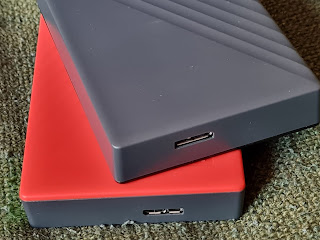
External hard drives Will you have your digital photos after 20 years from now? Will you regret to not have them? How can you safely store your digital photos in order to still have them in 20 years or more? I am talking, for example, about the pictures or movies that you take with your smartphone or with your digital camera. I know I will want to have them after years. Digital pictures tends to be even more fragile than paper pictures. Do you still have all the digital pictures that you have taken 10 years ago? What if your smartphone gets stolen, or your desktop hard drive fails? What if you delete the pictures by mistake when re-installing the operating system? Here are some ideas that I got when I evaluated the way to keep my pictures for 20 years or more. I am already using some of this methods for my pictures. I am open to other suggestions and comments. General considerations  No single solution for storing digital content is perfectly safe for 20 years or more ...

Audiophile music - 10 conclusions

I am passionate about sound quality lately. Here are my early conclusions from the research and experiments I did. This is the order of sound optimizations that you could try in order to improve the music experience. 1. Live music sounds better than recorded music 2. Un-amplified live music sounds better than amplified music 3. Recorded music sounds better on loud speakers than on headphones 4. Expensive headphones (>100$) sounds better than cheap ones 5. Open-air headphones sounds better than closed enclosure ones 6. Loss-less music (like FLAC) sounds better than MP3 7. High bitrate MP3 (>128kbps) sounds better than low bitrate 8. A professional DAC (or sound card) sounds better than a cheap one 9. High sample rate music (>44KHz) could sound better than 44KHz (or not) 10. Music encoded at 24bits could sound better than 16bits music (or not)  I will say a few words about each, from my limited experience and research: